WordPress Error Establishing a Database Connection – How to Fix It (Step-by-Step Guide)
Are you staring at your WordPress site’s dreaded “Error establishing a database connection”? You’re not alone. This is one of the most common and frustrating WordPress errors, especially for beginners and non-tech users.
In this guide, I’ll explain:
- What does this error mean
- Why it happens
- How to fix it (even if you’re not technical)
- When to get professional help
🧠 What Does “Error Establishing a Database Connection” Mean?
This error means WordPress can’t connect to your database, which stores all your content, user info, posts, settings, etc. If the connection fails, your site won’t load — just a blank page with this scary message.
⚠️ Common Causes of the Error
- Wrong database login credentials (
DB_NAME,DB_USER,DB_PASSWORD, orDB_HOST) - Corrupted WordPress database
- Issues with your web hosting server
- Too much website traffic overloading the server
- Corrupted WordPress files
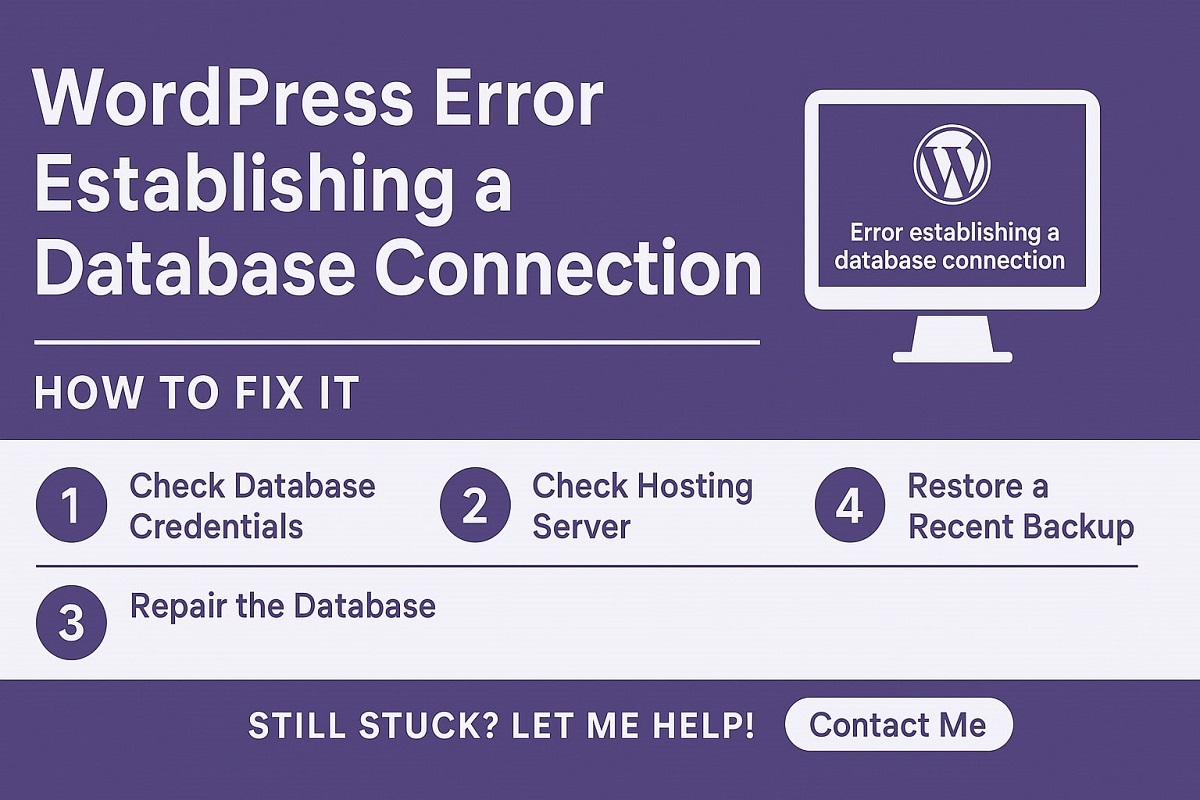
🛠️ How to Fix Error Establishing a Database Connection in WordPress
✅ 1. Check Your Database Credentials
Open your wp-config.php file (located in your WordPress root folder) and verify these values:
define( 'DB_NAME', 'your_database_name' );
define( 'DB_USER', 'your_database_username' );
define( 'DB_PASSWORD', 'your_database_password' );
define( 'DB_HOST', 'localhost' ); // Or it might be an IP or custom host
Make sure they match your hosting account’s database settings.
✅ 2. Repair the Database
Add this line to your wp-config.php file to enable repair mode:
define( 'WP_ALLOW_REPAIR', true );Then go to:yourdomain.com/wp-admin/maint/repair.php
Click “Repair Database” or “Repair and Optimize Database”.
Once done, remove that line from the config file for security.
✅ 3. Check Your Web Hosting Server
Log in to your cPanel or contact your hosting provider. Ask:
“Is the MySQL server down or overloaded?”
Sometimes, it’s just a temporary issue on their side.
✅ 4. Restore a Recent Backup (if available)
If you’ve taken a backup via a plugin or your host provides automatic backups, restore the most recent working version.
✅ 5. Reinstall WordPress Core Files
If the database and credentials are okay, some corrupted WordPress files might be causing the issue.
Download the latest version of WordPress from WordPress.org, and upload the wp-admin and wp-includes folders (overwrite them via FTP or File Manager). Don’t replace wp-content or wp-config.php.
🧑💻 Still Stuck? Let Me Help!
If you’re still seeing the error and nothing seems to work, don’t worry. I offer quick WordPress error fixing and site recovery services.
👉 Contact Me for a Free Consultation
💬 Final Thoughts
The Error establishing a database connection issue can feel overwhelming, but it’s usually fixable with a few checks. Whether it’s misconfigured settings or a hosting issue, use this guide as a checklist.
Want to avoid errors like this and keep your site running fast and secure?
✅ Check out my WordPress Speed Optimization Services.»
📌 Frequently Asked Questions (FAQs)
A: It’s usually caused by incorrect database credentials, corrupted files, or a server issue.
A: Yes! In most cases, you can follow this guide and resolve it in minutes.
A: You can reach out to me for a quick fix.