How to Reduce Server Response Time – Proven Tips for Faster Websites
A slow website isn’t just annoying; it hurts your SEO, user experience, and conversion rate. One of the biggest culprits is a high server response time.
In this post, I’ll explain:
- What server response time is
- Why it matters for SEO and speed
- How to reduce server response time (with actionable steps)
💡 What Is Server Response Time?
Server response time (also known as TTFB – Time To First Byte) is the time your server takes to respond to a browser request. It includes:
- DNS lookup
- Server processing
- Database queries
- Initial response delivery
Google recommends keeping TTFB under 200ms.
🚨 Why Reducing Server Response Time Matters
- 🟢 Faster websites rank better on Google
- 🟢 Improves Core Web Vitals (especially Largest Contentful Paint)
- 🟢 Boosts user experience and reduces bounce rates
- 🟢 Critical for mobile and global visitors
We have optimized speed for many of our clients, which includes LCP, CLS, INP, and Server Response Time.
✅ How to Reduce Server Response Time (TTFB)
1. Use a High-Performance Hosting Provider
Cheap shared hosting often slows down during traffic spikes. Choose fast, WordPress-optimized hosting like:
- Rocket.net
- Cloudways
- WPX Hosting
- SiteGround (GrowBig or higher)
Pro Tip: Use hosting with server-level caching and CDN support.
2. Use a CDN (Content Delivery Network)
A CDN like Cloudflare or BunnyCDN stores your content on edge servers worldwide, so your site loads fast from any location.
This significantly reduces latency and server processing load.
3. Enable Caching
Install caching plugins like:
- WP Rocket
- LiteSpeed Cache (for LiteSpeed servers)
- W3 Total Cache
- FlyingPress
These reduce repeated PHP/database processing, improving TTFB.
4. Optimize Your Database
A bloated database slows down server response. Clean it regularly using:
- WP-Optimize
- Advanced Database Cleaner
Delete old post revisions, spam comments, transients, etc.
5. Minimize Plugin Bloat
Too many plugins, especially poorly coded ones, increase load time. Deactivate or delete plugins you don’t need.
Tip: Use tools like Query Monitor or New Relic to identify slow plugins.
6. Use Server-Level Caching (If Available)
If your host supports it, enable:
- NGINX FastCGI Cache
- Varnish Cache
- Object Caching (Redis/Memcached)
This bypasses WordPress altogether for static requests, speeding up response time.
7. Reduce External Requests
Each third-party request (fonts, ads, widgets) delays the server’s response. Use local hosting for:
- Fonts (Google Fonts)
- Analytics (use self-hosted Plausible or Minimal Analytics)
8. Optimize WordPress Core and Theme
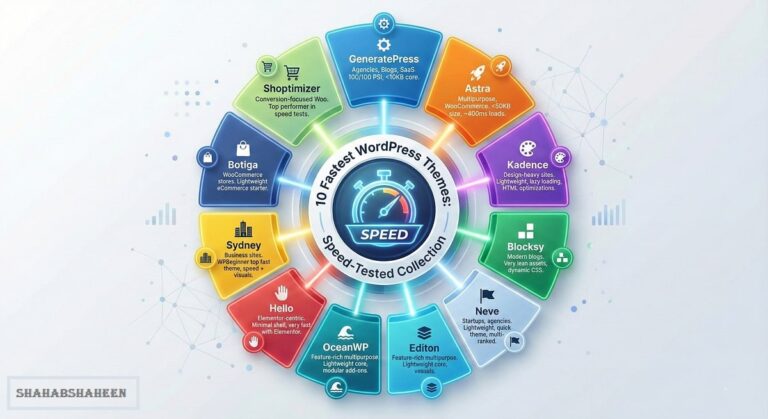
Use a lightweight theme (like GeneratePress, Astra, Blocksy, Kadence). Heavy page builders like Elementor can increase TTFB—opt for block-based or native editors when possible.
9. Upgrade PHP Version
Ensure your server runs the latest stable version of PHP (8.1 or higher). It’s faster and more secure.
10. Use GZIP or Brotli Compression
Compression reduces the size of your server’s response. You can enable this via your:
- Hosting control panel (cPanel > Optimize Website)
- .htaccess file (Apache)
- CDN (like Cloudflare)
🧪 Test Your Server Response Time
You can measure your server’s TTFB using:
- GTmetrix
- WebPageTest.org
- Google PageSpeed Insights
Check the “Time to First Byte” metric under waterfall or diagnostics.
👨💻 Need Help Reducing Server Response Time?
As a WordPress speed optimization expert, I help site owners reduce TTFB and dramatically improve Core Web Vitals without breaking the design or functionality.
✅ Hire me for Speed Optimization
💬 Final Thoughts
Reducing server response time isn’t just for developers—it’s for anyone who wants a faster, better-ranked, and higher-converting website.
Focus on smart hosting, caching, database optimization, and minimal plugins for long-term speed gains.
📌 Bonus: Want to See Your Before/After Results?
I offer a Speed Audit + Optimization Report with TTFB stats, Core Web Vitals, and GTmetrix/PageSpeed benchmarks.
💬 Frequently Asked Questions
A: Server response time is how quickly your server delivers the first byte of a page to the browser (also called TTFB).
A: Google recommends keeping TTFB under 200 milliseconds for optimal performance.
A: You can test it using tools like GTmetrix, WebPageTest, or Google PageSpeed Insights.
A: Yes, a slow server response can negatively impact your Core Web Vitals and Google rankings.